Communicator
Communicator is an optional plugin for Observatory which monitors and records all chat messages for either realtime reading or later review.
This is a very basic plugin without many bells or whistles. It's primarily useful for busy chats where the in-game chat panel is too small, or for edge case character set issues where the characters typed by another player do not render correctly in game.
Installation
Download version 0.0.1 here. (opens in a new tab)
- Installed: Double-clicking the .eop file should automatically install the plugin. If this does not work, you can manually use the "portable" installation method.
- Portable: Add ObservatoryCommunicator.eop to the plugins folder located in the same location as Observatory's executable.
- When starting Observatory, if successful, there should be a Communicator tab along the top.
Usage
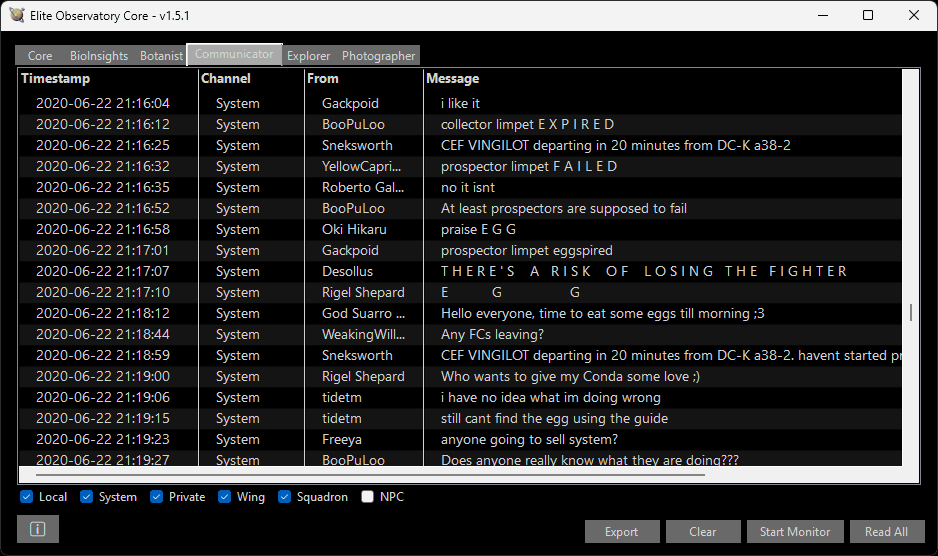
It displays your chat.
The bottom of the panel has checkboxes to filter the display by chat channel.
Settings
Like other plugins, Communicator's settings are accessed by right-clicking the "Communicator" tab at the top of the Observatory window, or via the right-hand button in the plugin list on the core tab.
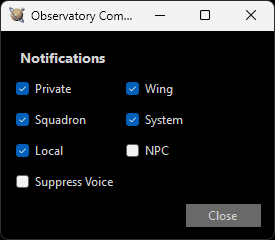
Communicator allows you to choose which channels will trigger notifications when messages are received, as well as whether or not to read the messages using text-to-speech.
- Private/Wing/Squadron/System/Local/NPC: Enable notifications for each channel.
- Suppress Voice: Allows you to disable the reading of chat notifications by text-to-speech.